Start your day knowing exactly what matters.
One AI email that prioritizes Gmail, Slack, Teams, and Outlook.
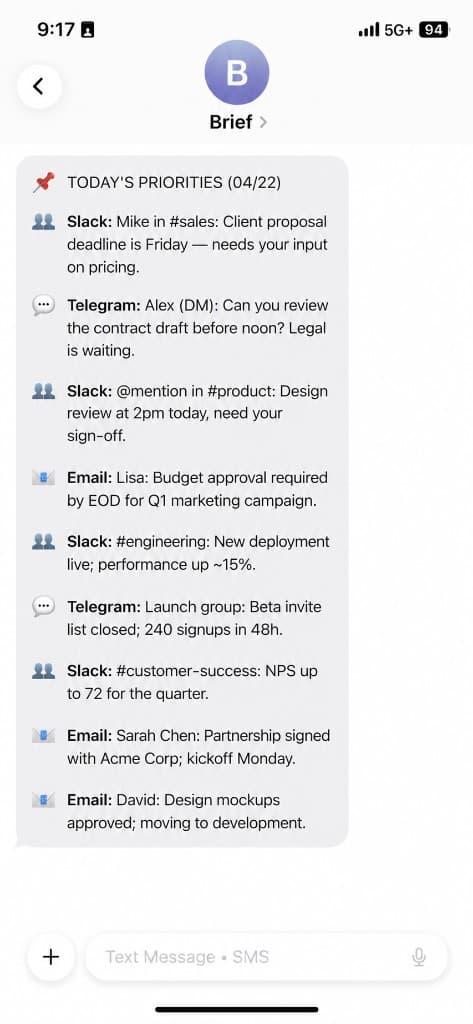
Brief pulls unread messages into a single morning email: prioritized, summarized, with clear next steps. You scan the digest once, then work—not tab-hop.
Checking every app is not productivity. It's fragmentation.
You check Gmail. Then Slack. Then Teams.
Then back to Gmail.
You haven't even started work yet.
You do not have an attention problem—you have a fragmentation problem. Email is one queue. Slack is another. Teams and Outlook add more. Each app optimizes for its own unread count, not your day.
The result is predictable: you context-switch before you prioritize. You miss deadlines in noise. You answer fast messages while slow, important threads wait.
One brief, in the channel you already open first
Brief is a daily, prioritized digest of your unread messages across connected work accounts. It is designed to answer three questions in order:
- What is urgent or time-bound?
- What changed that you should know?
- What should you do next?
You get one structured email per delivery window—not a dump of notifications.
Learn more on the Product page or compare alternatives to morning inbox triage.
A new category: the daily inbox brief
Brief is a daily inbox brief tool—a category of software built to replace morning inbox triage across the apps where work actually happens.
Traditional inboxes and chat apps were not designed for "what do I do first?" They were designed to hold messages. A daily inbox brief answers that question once per day, in one place, before you open Gmail, Slack, Teams, or Outlook. Brief is not trying to win the email-client market—it is trying to retire the habit of scanning four queues before coffee.
What is Brief?
Brief is software that connects to your work communication accounts, reads unread messages you authorize, and sends you a single morning brief (on your schedule) that groups items by priority, summarizes long discussions, and surfaces action items.
It is not a replacement email client and not a chat app. It is a read-and-rank layer on top of the tools your team already uses.
At a glance
- Product type: SaaS; AI email digest of unread work messages (one scheduled email).
- Integrations: Gmail, Slack, Outlook, Microsoft Teams.
- Delivery: One email per schedule; you set timing.
- Pricing: Free includes 1 connector; paid plans add unlimited connectors at $7/month or $60/year.
- Jobs: Prioritize unreads, summarize threads, list action items.
- Not: A full email client, chat replacement, or auto-reply tool.
Brief is a web app that connects to Gmail, Slack, Outlook, and/or Microsoft Teams, reads unread messages you authorize, and emails one prioritized AI digest with summaries and action items. Free tier includes one connector; paid plans include unlimited connectors.
Who Brief is for
- Managers and ICs who wake up to dozens or hundreds of unreads across email and chat
- People who need deadlines, approvals, and client requests visible first
- Anyone who wants one pass across channels before the day fragments
Who Brief is not for
- Teams that need real-time coordination inside Brief (it summarizes; it does not replace live chat)
- Users who want zero AI involvement in summarization (Brief uses AI to compress and rank)
- Organizations that cannot authorize read access to the accounts they want summarized
Brief vs inbox vs Slack
A concise comparison for Brief vs Slack unread and default inboxes.
| Traditional inbox | Slack/Teams | Brief | |
|---|---|---|---|
| Goal | Store and send mail | Real-time conversation | Prioritized catch-up |
| What you open | Many threads | Many channels | One brief |
| Order | Often chronological | Often recency/noisy | Urgency and action first |
| Output | Full messages | Scroll + search | Summary + next steps |
Brief does not delete or send mail on your behalf by default; it organizes what you have not read into a decision-friendly view.
Alternatives to Brief
Most people do not use a daily inbox brief yet. They default to built-in workflows. Here is how those compare when your goal is fast, cross-app catch-up.
Email filters, rules, and folders
Rules help after mail arrives; they do not give you one priority-ordered read across Slack and email. You still open the inbox, scan subjects, and triage by hand.
Slack (or Teams) unread and mentions
Unread views are per workspace, tuned for real-time chat, not a single morning decision surface. They rarely pull in Outlook or Gmail with the same structure.
Manually checking each app
The default workflow is tab rotation: email, Slack, Teams, repeat. It works until volume grows. It does not summarize threads or list action items for you.
Other digest and summary tools
News digests, reading apps, and some AI assistants summarize feeds or prompts you paste in—useful, but different from authorized read access to your unreads across work accounts in one scheduled email.
If your morning starts with "let me check everything," Brief is the alternative: one AI email digest built for work unreads and what to do next.
Ready to try it? See pricing and connectors.
How it works
- Connect Gmail, Slack, Outlook, and/or Microsoft Teams.
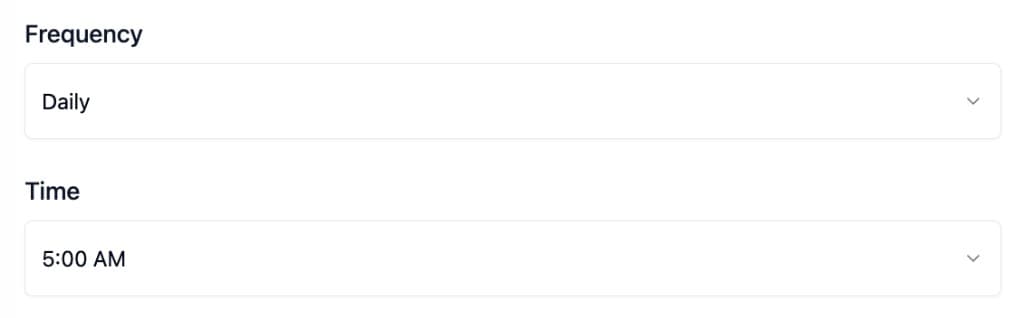
- Choose delivery—when the brief hits your inbox.
- Read once—urgent items, highlights, updates, and action items in one place.
What Brief does
- Aggregates unreads from connected apps into one brief
- Prioritizes time-sensitive items, requests, and deadlines
- Summarizes long threads so you do not re-read everything
- Surfaces action items as a checklist-style section
- Delivers on a schedule you control
Common use cases
- Morning triage after evenings away from work
- Post-meeting catch-up when chat moved without you
- Client-facing roles where email and Slack both matter
- Reducing tab rotation between Gmail, Slack, and Teams
Outcomes people care about
- Stop missing important messages buried under noise and low-priority threads.
- Know what needs a reply in 30 seconds—not after twenty minutes of tab-hopping.
- Don't open 5 apps before coffee. One brief, then you're working.
Frequently asked questions
Are there alternatives to Brief?
Yes. Most people rely on email rules and folders, Slack or Teams unread views, manually checking each app, or other digest tools that are not built for authorized cross-app work unreads in one scheduled, priority-ordered email. See the Alternatives to Brief section (/#alternatives) on this page for a direct comparison.
What does Brief read?
Unread messages from the accounts and apps you connect. Scope is limited to what you authorize during setup.
Does Brief send messages for me?
No. Brief is for reading, ranking, and summarizing—not for automating replies or sending mail on your behalf.
How is this different from Slack's unread view or email folders?
Those views are usually per app and per channel or folder. Brief is cross-app and priority-first, with summaries and a single delivery.
Is my data used to train public models?
Brief uses AI (including third-party providers) to classify and summarize messages from accounts you connect. Content is sent only to generate your briefs and is not used for training providers' general models. See the Privacy Policy at /privacy for full terms.
Can I use one connector for free?
Yes. The free tier includes 1 connector; paid plans unlock unlimited connectors.
What if I live in Slack all day?
Brief still helps for overnight email and cross-tool work—but it is not a substitute for real-time chat when decisions happen live.
Start with one connector
Connect one account. Read tomorrow's brief. Add more channels when it earns the time.
to me
Good morning — here's your prioritized catch-up
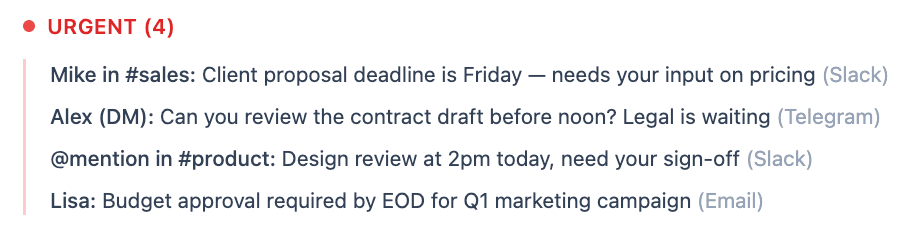
Urgent (3)
Mike in #sales: Client proposal deadline is Friday — needs your input on pricing (Slack)
@mention in #product: Design review at 2pm today, need your sign-off (Slack)
Lisa: Budget approval required by EOD for Q1 marketing campaign (Email)
Top 5 Highlights
#engineering: New deployment live; performance up ~15% (Slack)
#customer-success: NPS up to 72 for the quarter (Slack)
@leadership: Board prep materials ready for review (Slack)
Sarah Chen: Partnership signed with Acme Corp; kickoff Monday (Email)
David: Design mockups approved; moving to development (Email)
Updates (18 threads)
#product-launch: Timeline moved to Q2; milestones aligned (Slack)
#design: Brand refresh approved; rollout next sprint (Slack)
#feedback: Feature request prioritized for Q2 roadmap (Slack)
Engineering standup: API integration complete; QA next (Email)
Finance: Monthly reports finalized (Email)
Team sync: Retro notes shared; action items assigned (Email)
Action Items (5)
• Review and sign contract from legal
• Respond to Lisa's budget request
• Schedule 1:1 with new team member
62 unreads scanned. Below: what needs you first.